Every order is an opportunity to share more than just a transaction summary. Whether it's your Terms and Conditions, a return form, or a promotional insert, the right supporting document can improve the customer experience and save your team time.
Sufio lets you automatically attach custom PDF pages to the end of every invoice sent from your Shopify store—so the right documents always reach the right customers, without any manual effort.
To enable this feature:
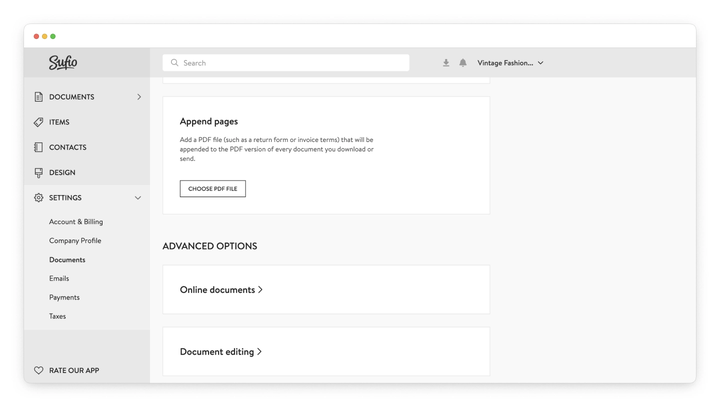
- In your Sufio account, go to the Settings → Documents page.
- Scroll down to the Append Pages section.
- Click the Choose PDF file button to upload your PDF document that will be included at the end of every PDF invoice.
- Click the Update settings button to apply the changes.