You can customize the names of your documents to match your business terminology or local standards.
For example, you can rename delivery notes to packing slips and credit notes to return statements or storno invoices.
The new name will appear at the top of the document.
In Sufio, an invoicing app that creates and manages documents for your Shopify store, these documents will still be listed as invoices or credit notes within the app.
To change the name of a document:
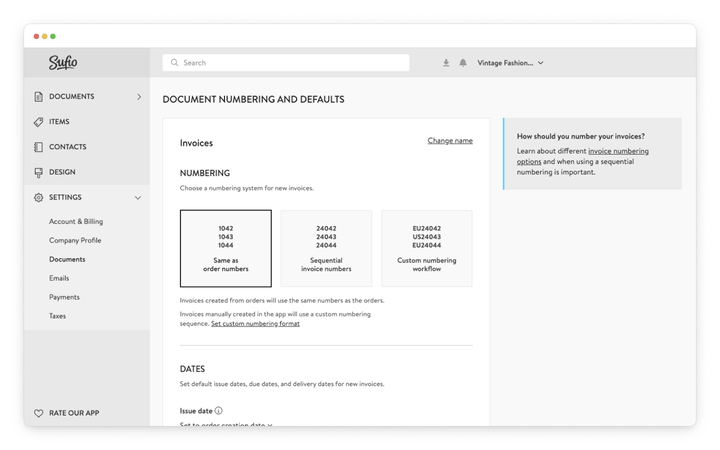
- In your Sufio account, go to the Settings → Documents page.
- In the Document numbering and defaults section, scroll down to the document type you want to rename, such as Invoices, Credit notes, or Delivery notes.
- Click the Change name button on the right and enter a new name for the document. You can click the Undo button to revert to the default name.
- Click the Update settings button at the top of the page to apply your changes.
Note
The updated document name also applies to previously issued documents.
In some jurisdictions, different invoice names are used depending on whether taxes are included.
You can set separate invoice names based on whether the invoice includes taxes.
Sufio automatically applies the correct naming in countries where this is required by law, such as Australia.
Yes. When you rename a document type, the new name appears on all documents of that type, including those issued before the change.
Customers who open a previously sent invoice see the updated name.
If you want the new name to apply only to future documents, note that this is not currently possible.
No. The name change only affects how the document is labeled at the top of the PDF.
In the Sufio app, documents are still listed under their original type names—such as invoices and credit notes.
This ensures consistent document management regardless of what your customers see on the document.