A pro forma invoice is a document typically sent to a customer before goods or services are delivered.
It provides an overview of the price and order details without acting as a request for payment, similar to a quotation.
In some countries, pro forma invoices are commonly used before shipment, and customers may specifically require them as part of their purchasing process.
Sufio is an invoicing app for Shopify that lets you create pro forma invoices either manually or automatically from your store’s orders.
To create a pro forma invoice manually:
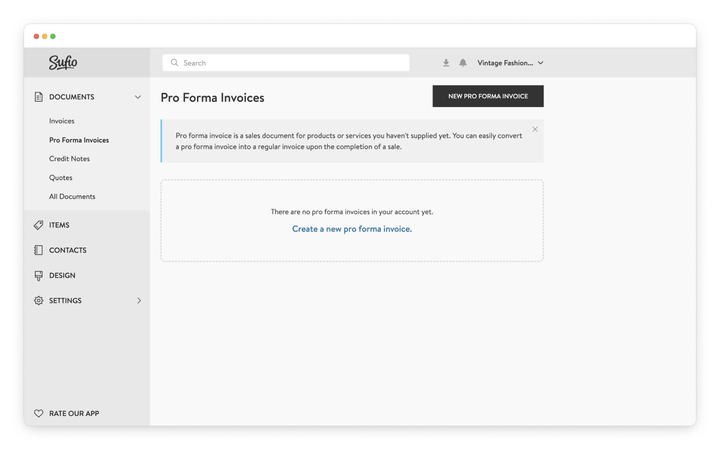
- In your Sufio account, go to Documents and select Pro Forma Invoices.
- Click New Pro Forma Invoice.
- Fill in the required invoice information.
- Click Save to create the document.
If you prefer, you can have Sufio create pro forma invoices automatically from orders in your Shopify store instead of regular invoices.
Whenever an order meets your document creation conditions, Sufio issues a pro forma invoice for it, using your own numbering sequence and template.
This is useful when customers need a document before the order is paid—for example, business customers who require a pro forma invoice to arrange a bank transfer.
To enable this setting, please contact our support, and our team will be happy to help you set up automatic pro forma invoices.
When automatic pro forma invoices are enabled, Sufio does not create regular invoices automatically. Once the order is paid, create the final invoice manually:
- In your Sufio account, go to Documents and select Pro Forma Invoices.
- Open the pro forma invoice.
- Click More, then select Create invoice.
The invoice is created as a separate document and follows your regular invoice numbering sequence.
Pro forma invoices and regular invoices are created as separate documents in Sufio.
When a final invoice is created, it is generated based on the current data from your Shopify order and your Sufio settings. This means that changes made only on the pro forma invoice may not be reflected in the final invoice.
If you need specific notes or details to appear on your final invoice, we recommend adding them directly to your Shopify order or configuring them in your invoice template.