Running a store that sells across borders means more than just translating your product pages—your billing documents need to speak your customers' language too.
A checkout in French or German creates trust, but an invoice arriving in English can break that experience.
With Sufio, multilingual Shopify stores can automatically generate and send invoices and other documents, such as credit notes, in the same language your customers used while shopping.
Every document is professionally translated by local accountants, with support for nearly 40 languages.
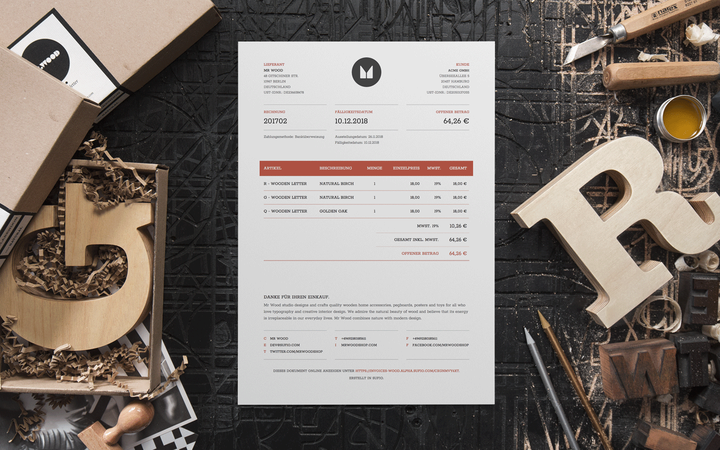
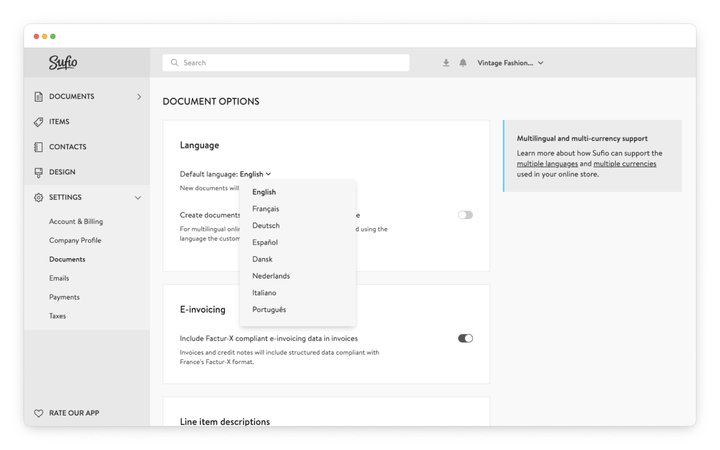
By default, Sufio creates documents in the language of your online store or the language you select when you install the Sufio app.
To choose a different default language:
- In your Sufio account, go to the Settings → Documents page.
- Scroll down to the Document options → Language section.
- From the Default language dropdown, select your preferred default language for creating documents.
- Click on the Update settings button to apply the changes.
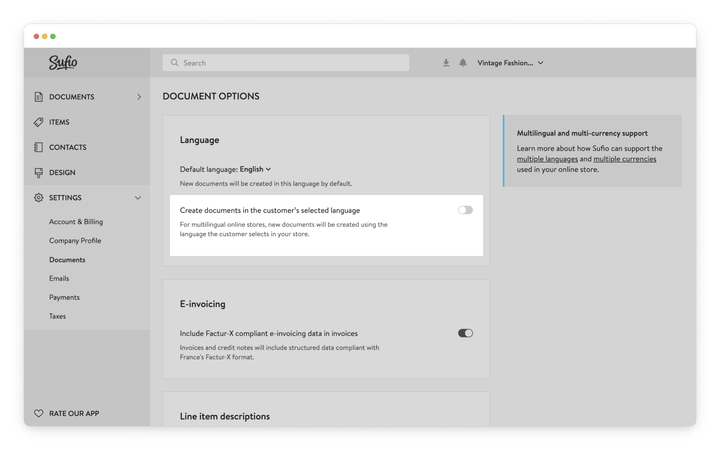
Owners of multilingual stores can set Sufio to create the documents in the language the customer selects in their store.
This way, customers experience the entire shopping process, from browsing the website to receiving their invoice, in their preferred language.
When a customer places an order, Shopify saves the language the customer used in your store to the order. Sufio then uses this language to create the documents for the order.
Sufio works with any multilingual setup that saves the customer's language to the order, including the most used multilingual apps on the Shopify platform and headless Shopify stores.
To enable the creation of documents in multiple languages:
- In your Sufio account, go to the Settings → Documents page.
- Scroll down to the Document options → Language section.
- Turn the Create documents in the customer's selected language toggle on.
- Click on the Update settings button to apply the changes.
No additional steps, such as editing your store theme's code, are required.
If the order does not include the customer's language, Sufio creates the documents in your default language.
Note
Headless Shopify stores do not use multilingual apps. To create documents in your customer's language, make sure your storefront passes the customer's selected language to Shopify when creating the checkout.
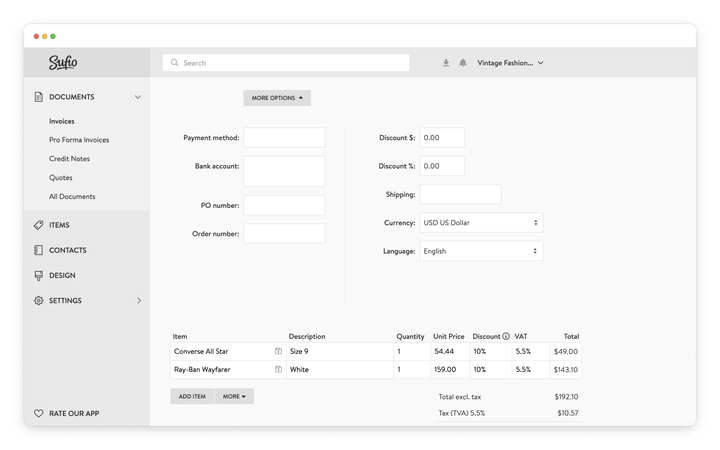
You can manually change the language of any previously created document.
Changing the language of the document does not affect any information on the document, such as prices, dates, item names, or the document currency.
To change the document language:
- In your Sufio account, open the document that you want to change the language of.
- In the document view, click on the Edit button.
- In the editor, expand More options and from the Language dropdown, select the desired language of the document.
- Click the Save button to apply the changes.
The document is now displayed in the language you picked.
Note
The change of the document language does not impact previously created PDF documents.
| Europe — West | Europe — North | Europe — East | Middle East & Asia |
|---|---|---|---|
| English | Danish | Bulgarian | Arabic |
| French | Finnish | Croatian | Hebrew |
| German | Icelandic | Czech | Indonesian |
| Italian | Norwegian | Estonian | Japanese |
| Dutch | Swedish | Greek | Korean |
| Portuguese | Hungarian | Malay | |
| Spanish | Latvian | Simplified Chinese | |
| Turkish | Lithuanian | Traditional Chinese | |
| Polish | Thai | ||
| Romanian | Vietnamese | ||
| Russian | |||
| Serbian | |||
| Slovak | |||
| Slovenian |
Need help?
If you need help setting up invoices in multiple languages for your Shopify store, please contact our support. We'll be happy to assist.