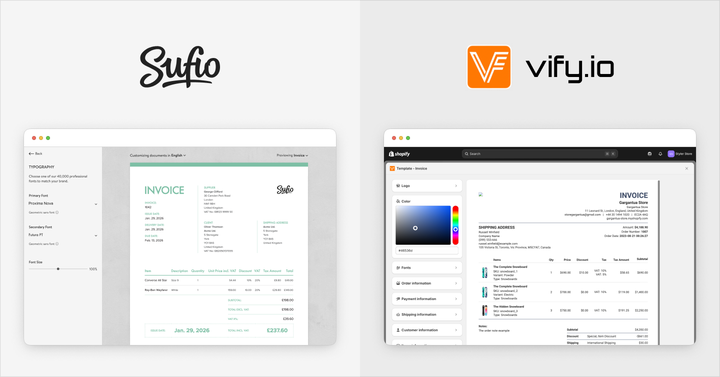
Sufio and Vify Order Printer PDF Invoice both enable Shopify merchants to create invoices and supporting documents, but they take two very different approaches.
Vify Order Printer PDF Invoice is an order printer app designed to generate documents directly from current Shopify order data, typically only when a document is requested.
Sufio is a professional invoicing app that’s fully integrated with Shopify. It stores invoices as independent financial documents and automates the full invoicing workflow, including follow-up documents like credit notes.
What is the difference between order printers and invoicing apps?
Both categories of apps help Shopify merchants create invoices, but they handle document updates, data integrity, and compliance in very different ways.
Order printer apps
Order printer apps generate invoices from the latest order data in your Shopify store. At first glance, this seems convenient, but it can quickly become a drawback because orders frequently change.
Customers may request partial refunds, or you might edit an order to add or remove items.
When this happens, the app regenerates the invoice to reflect the updated order. As a result, multiple versions of the same invoice can exist, meaning you and your customers may no longer be looking at the same document.
In many countries, invoices are expected to remain unchanged once they have been issued to customers, accountants, or tax authorities.
Having several versions of the same invoice can therefore create both legal and accounting risks and may result in problems with your local tax authority.
The upside of order printer apps is cost. Because these apps rely entirely on Shopify’s order data and do not store separate invoice records, they are usually very affordable.
Invoicing apps
Invoicing apps like Sufio take a different approach by keeping invoices separate from the underlying order data in your Shopify store. This ensures that once an invoice is issued, it remains unchanged and retains its value as a valid financial document.
If an order is later modified, such as through a refund or item adjustment, the original invoice is left untouched. Instead, the app generates additional documents to capture the change.
For example, a credit note records refunded items, creating a clear and auditable trail without altering the original invoice.
Compared to order printer apps, invoicing solutions typically include features designed to meet legal requirements, such as sequential invoice numbering or support for e‑invoicing standards. This makes them a better fit for businesses that need to stay compliant.
These benefits come at a higher cost, reflecting the more robust systems involved.
Since invoicing apps store independent copies of financial documents, choosing a reliable and secure provider becomes increasingly important as your invoicing volume grows.
Feature comparison
Here's how Sufio and Vify Order Printer PDF Invoice compare across the features that matter most to Shopify merchants.
Invoice automation
Sufio is built around a fully automated and highly customizable invoicing workflow. It creates invoices automatically based on configurable triggers, such as when an order is paid or fulfilled, and lets merchants control exactly which orders receive invoices.
Once created, invoices can be sent automatically. Sufio can also send reminders for overdue invoices.
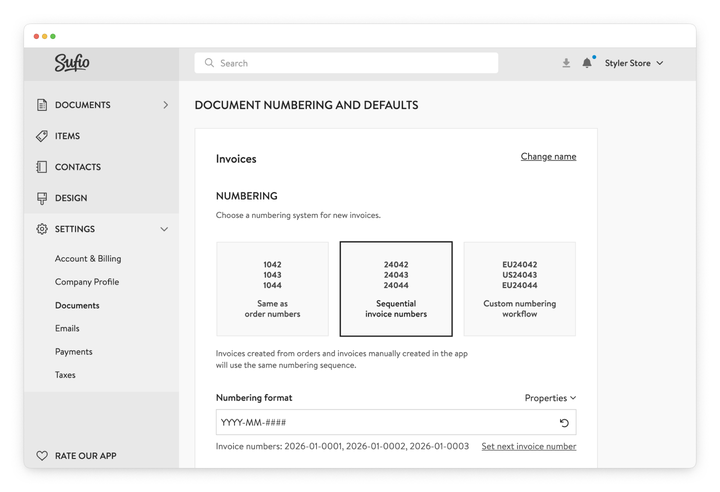
In addition, Sufio supports fully configurable sequential invoice numbering. Invoices are assigned unique, consecutive numbers in the exact order they are created, whether they originate from Shopify orders or are created manually. This helps businesses meet strict legal and accounting requirements in many countries.
The numbering format itself can be customized with prefixes, dates, or order references to match local regulations or internal standards.
Vify Order Printer PDF Invoice works differently. Documents are created on demand using the current Shopify order data.
While the app allows merchants to configure email‑sending rules triggered by events such as order creation, payment, or fulfillment, the document itself is generated only when the send action runs, using the order data available at that moment. As a result, invoices reflect the order state at the time they are generated rather than being stored as fixed financial records.
While “on demand” automation is available, the app does not support automatically sending reminders for overdue invoices.
Vify Order Printer PDF Invoice relies on Shopify order numbers for invoice numbering and does not provide a dedicated, independent invoice numbering sequence. Because invoices are generated only when requested and follow the order number rather than the creation order, invoice numbers are not always consecutive. This can be an issue in regions that require strict, gap‑free invoice numbering.
Credit notes
Credit notes are essential for handling refunds and returns without altering the original invoice.
Sufio automatically generates credit notes whenever a return or refund is processed in Shopify. Each credit note is linked to the corresponding invoice but exists as a separate document, preserving a clear financial history and keeping both the credit note and the original invoice fully compliant.
Sufio supports multiple types of credit notes, including cancellation credit notes and incremental (partial) credit notes.
This flexibility makes it easier to handle full cancellations, partial refunds, and more complex return scenarios while remaining compliant with accounting and tax requirements.
Vify Order Printer PDF Invoice can create credit notes only when an order contains refund data. These documents are generated on demand or sent when a refund occurs, and they remain tied directly to the order. There is no option to manually create credit notes independently, and the app does not support different types of credit notes.
B2B support
For merchants selling to other businesses, support for Shopify B2B features is often essential.
Sufio is officially recommended by Shopify and integrates natively with Shopify B2B.
Sufio automatically handles payment terms to set due dates, displays PO numbers, and can capture and validate VAT numbers from business customers. This ensures tax exemptions are applied correctly and that all required business details appear on the final document.
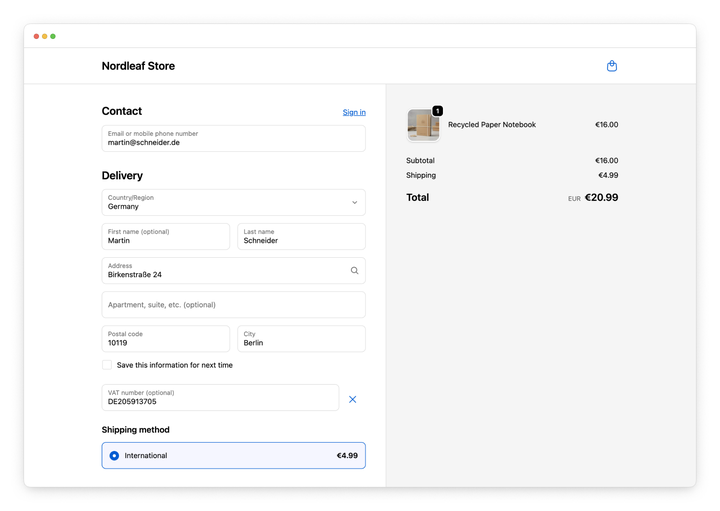
Vify Order Printer PDF Invoice supports payment terms and PO numbers, which can be enabled through its visual template editor. However, it does not support capturing or displaying VAT numbers from Shopify B2B company locations, limiting its suitability for merchants that rely on VAT‑based tax exemptions.
International sales
Selling internationally requires support for multiple languages, currencies, and region‑specific shipping documents.
Sufio supports international sales with professionally translated documents in 40 languages. It can automatically generate invoices in the language used by the customer during checkout.
The app also supports multi‑currency billing and provides commercial invoices that include HS codes and country‑of‑origin values for international shipping.
Vify Order Printer PDF Invoice claims support for over 160 languages, but translations appear to be machine‑generated and can be inconsistent. Documents are not automatically created in the customer’s checkout language, although labels can be manually overridden.
Commercial invoices with HS codes and country‑of‑origin values are supported through the visual template editor.
E-invoicing support
E‑invoicing is becoming a legal requirement in many countries, particularly for B2B transactions. It ensures invoices follow standardized, machine‑readable formats that can be automatically validated and processed by tax authorities and business systems.
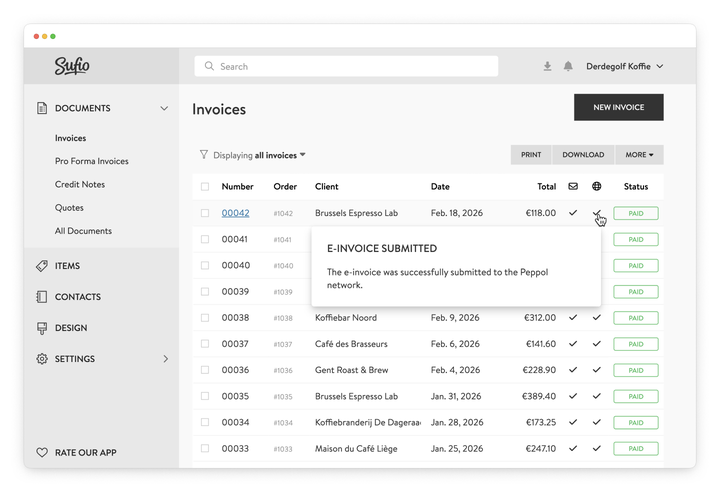
Sufio offers built‑in support for compliant e‑invoicing, helping merchants meet these legal obligations with minimal setup. It supports multiple country‑specific e‑invoicing standards, including ZUGFeRD in Germany, Factur‑X in France, and Peppol in Belgium.
In regions where e‑invoicing is mandatory for B2B transactions, Sufio automatically generates invoices in the required format and submits them when applicable. This allows merchants to remain compliant while continuing to use a Shopify‑based workflow.
Vify Order Printer PDF Invoice does not support e‑invoicing. Like other order printer apps, it cannot generate invoices in standardized e‑invoicing formats or submit them to national or international e‑invoicing networks.
As a result, merchants operating in countries with mandatory e‑invoicing requirements must rely on external tools or manual processes, increasing complexity and the risk of non‑compliance.
Design
The way your documents look is an extension of your brand identity.
Sufio provides a range of professionally designed Shopify invoice templates that can be customized using a simple visual editor.
Sufio also provides access to over 40,000 premium fonts from Monotype to ensure documents closely match your branding.
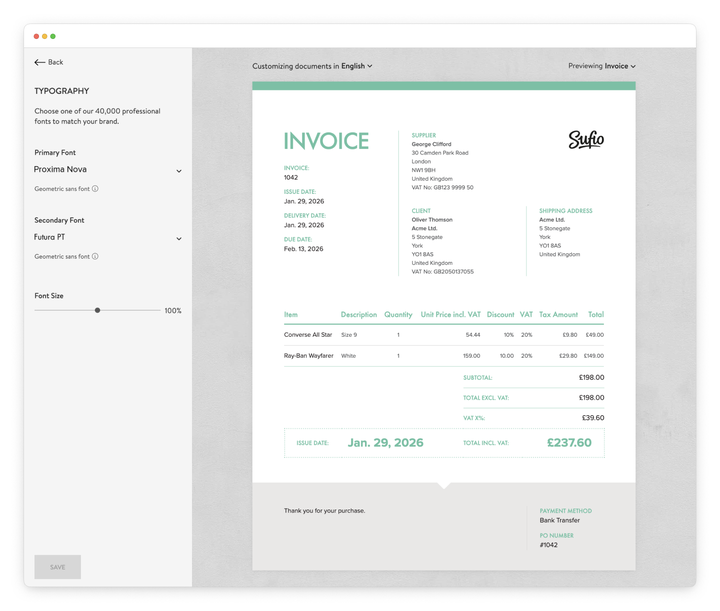
For users who want full control, the app also includes a powerful template editor—letting you customize the document layout and design, and display any order, customer, or product property directly in your documents.
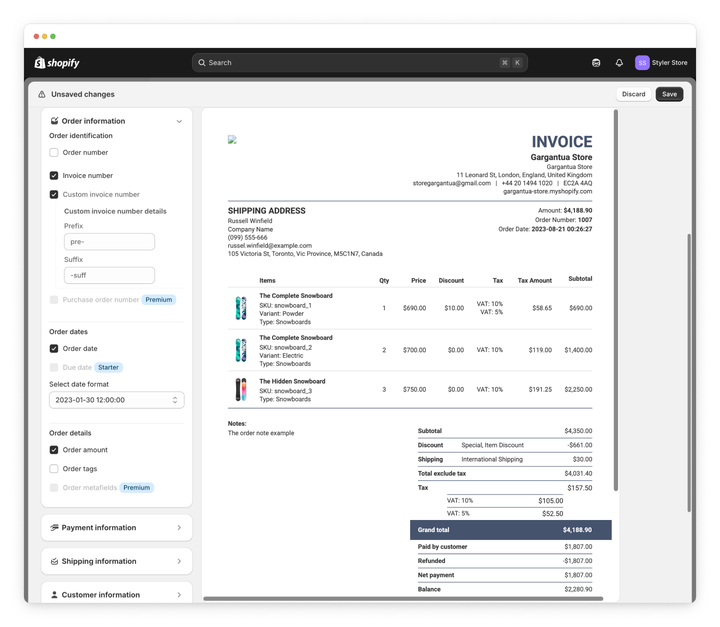
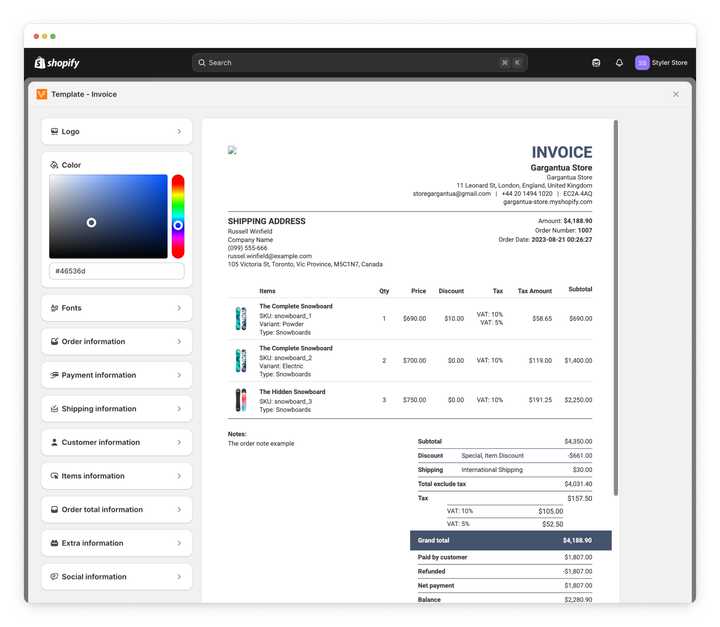
Vify Order Printer PDF Invoice relies on a basic visual template editor that allows merchants to adjust layouts and branding. There is no option to edit the template code, which limits customization for more advanced use cases.
Font options are restricted to what is available in the editor, with no access to external font libraries.
Integrations
Both apps integrate with Shopify POS, allowing invoices to be printed or sent from physical retail locations.
Sufio integrates with the new Shopify customer accounts, giving customers direct access to their invoices online. It also integrates with popular email marketing platforms such as Klaviyo and Omnisend, enabling invoice links to be included in post‑purchase and marketing emails.
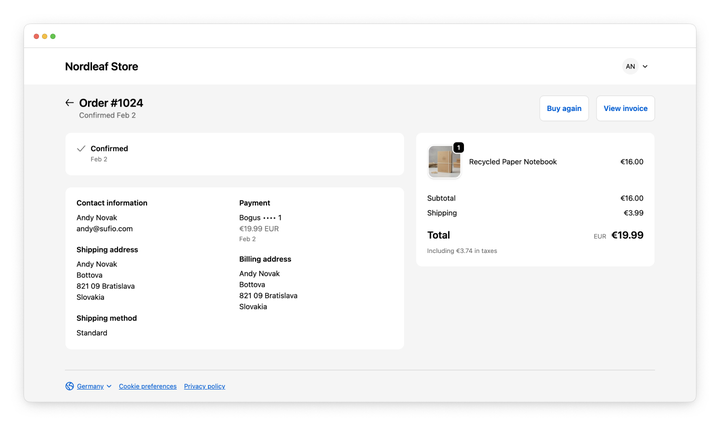
Vify Order Printer PDF Invoice does not provide an extension for the new Shopify customer accounts, although invoices can be accessed from the order summary page. It also does not integrate with email marketing platforms for invoice delivery, but it does support automatic uploads of PDF invoices to Google Drive.
Pricing
Sufio offers tiered monthly plans starting at $7 for Starter (15 invoices), $19 for Growth (50 invoices), $49 for Professional (5,000 invoices), and $129 for Premium (unlimited).
All plans include a 14‑day free trial with no credit card required, along with prorated upgrades and downgrades.
Vify Order Printer PDF Invoice includes a free plan that provides access to the latest 50 orders. Paid plans start at $10.99 per month and go up to $69.99 per month for the highest tier. A 14‑day free trial is also available.
Vify Order Printer PDF Invoice is likely to appeal to budget‑conscious stores, while Sufio’s pricing reflects its focus on automation, legal compliance, and brand‑focused document design.
Summary and conclusion
Vify Order Printer PDF Invoice is a satisfactory option for merchants who want a simple, affordable order printer app with basic automation and Google Drive integration. It works best for stores that are comfortable with on‑demand document creation and have limited compliance or B2B requirements.
Sufio is built for merchants who need invoices to function as independent financial documents.
It offers a context‑driven automation workflow, compliant credit notes, native Shopify B2B support, and growing coverage for international and regulatory requirements.
If your needs are simpler and cost is the primary concern, Vify Order Printer PDF Invoice may be sufficient for covering the basics.
For businesses that rely on robust invoicing workflows, long‑term document integrity, and cross‑regional compliance, Sufio is designed to handle that level of complexity.