Many Shopify merchants use Yotpo Email Marketing & SMS to send marketing campaigns and automated emails to their customers.
Sufio automatically creates invoices for your Shopify orders. By adding invoice links to your Yotpo emails, customers can easily access their invoices whenever they need them.
Adding invoice links to Yotpo emails is simple with Yotpo's drag-and-drop email editor.
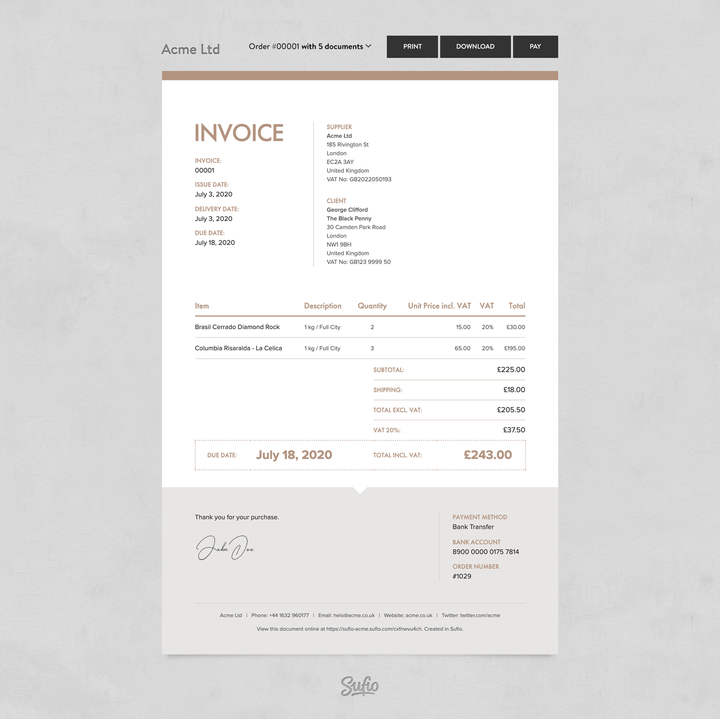
When customers click the link, they'll be taken to the online version of their invoice. From there, they can:
- download a PDF copy
- print the invoice
- view other documents related to the same order
- pay unpaid invoices online with a credit card
Before you begin, make sure both Sufio and Yotpo are installed on your Shopify store.
To add an invoice link to your Yotpo email:
In your Yotpo account, open the email editor and open the email template to which you want to add the link to the Sufio invoice.
Copy and paste the following code snippet:
- Replace the
[StoreURL],[OrderID]and[CustomerEmail]in the snippet with the respective Store URL, Order ID, and Customer email personalization tags. - Click Save & Close to apply the changes.
A link to the invoice will be included on emails sent by Yotpo.
You can also let customers download the invoice as a PDF right away by using the following URL.
Please note that customers cannot pay unpaid invoices online when using the PDF version of the invoice.