Customer Accounts Hub gives Shopify stores a more flexible way to manage customer accounts.
It allows customers to access enhanced account features, such as order history, profile editing, saved addresses, and more.
Sufio, an invoicing app for Shopify stores, integrates with Customer Accounts Hub so customers can access invoices created by Sufio directly from their customer account page.
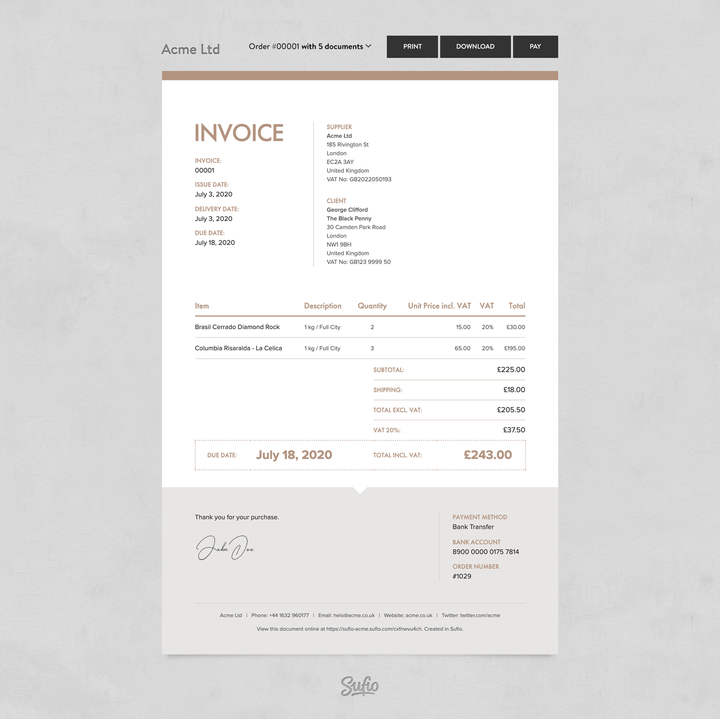
When customers click the invoice link, they are redirected to an online version of their invoice.
From there, they can download or print the invoice and view other documents related to the same order.
Customers can also pay their unpaid invoices online with their credit card.
To set up the integration of Sufio with CustomerHub:
- In your Shopify admin, go to Apps → CustomerHub.
- Navigate to the PowerUps page and select Sufio: Professional Invoices.
- Click Setup and turn on the Enable in Shop toggle.
- Click Save to apply the changes.
A button to access invoices created by Sufio will automatically appear on the customer account page and the order details page in Customer Accounts Hub.