Building a loyal customer base is crucial for ecommerce. Many Shopify merchants use the Recharge Subscriptions app to foster this kind of relationship with their customers.
The most significant benefit is that, instead of having a customer buy a product once, Recharge allows them to order their favorite products at regular intervals, all automatically and at the right time.
When paired with Sufio, an invoicing app for Shopify stores, you can include links to invoices in the automated emails sent by Recharge.
Adding these links to Recharge emails is just like adding a link to the body of a regular email.
Simply place one of the following links in the email when editing the content of your automated emails.
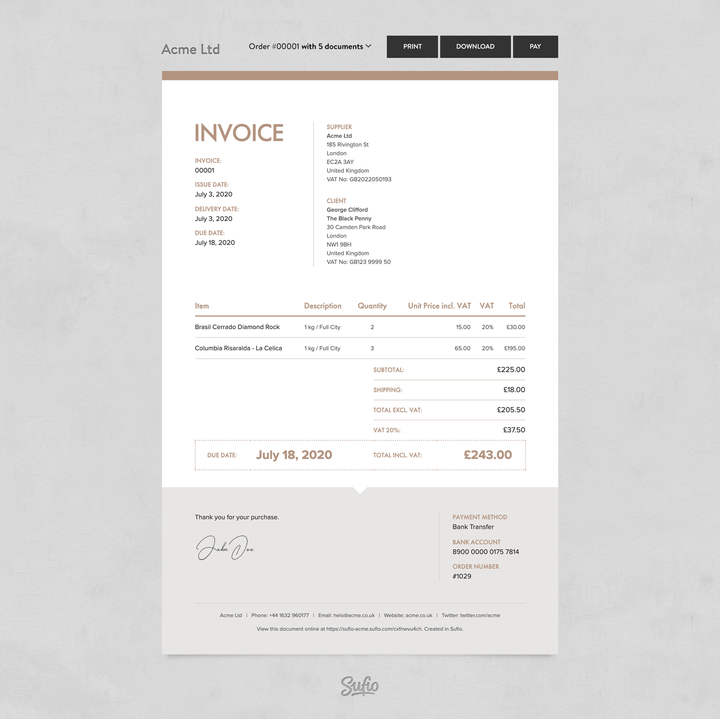
When customers click the link, they’ll be taken to the online version of their invoice. From there, they can:
- Download a PDF copy
- Print the invoice
- View other documents related to the same order
- Pay unpaid invoices online with a credit card
Replace store-name with your Shopify store’s myshopify.com subdomain.
You can also let customers download the invoice as a PDF right away by using the following code snippet.
Replacestore-name with your Shopify store’smyshopify.com subdomain.
Please note that customers cannot pay unpaid invoices online when using the PDF version of the invoice.