A credit note is a tax document that reduces or cancels all or part of an invoice, for example, after a refund or an order correction.
Sufio can send credit notes to your customers automatically as soon as an order is refunded in your online store. You can also send them manually, either one by one or in bulk, from your Sufio account.
To enable automatic sending:
- In your Sufio account, go to the Settings → Emails page.
- In the Credit note section, switch the Automatically send credit notes when orders are refunded toggle on.
- In the same setting, click the highlighted dropdown and select when credit notes should be sent.
- Click Update settings to save your changes.
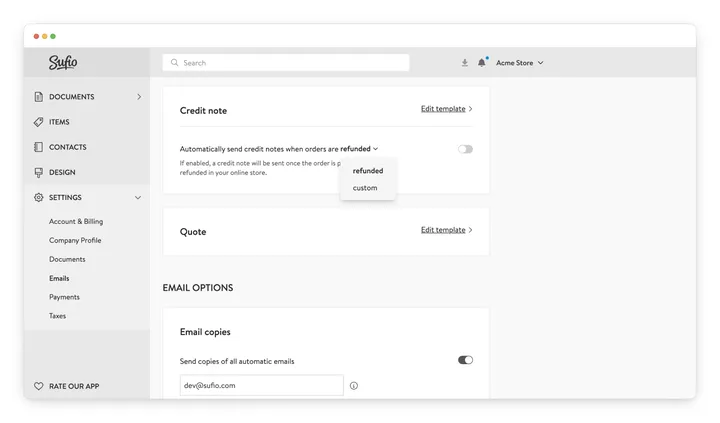
A credit note is then sent as soon as the order is partially or fully refunded in your online store.
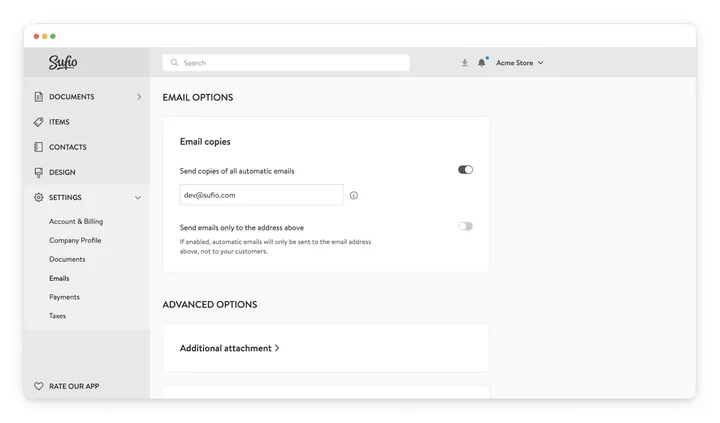
To receive a copy of each email Sufio sends, turn on Send copies of all automatic emails in the Email options section of the same page.
To send one credit note:
- In your Sufio account, go to the Documents → Credit Notes page.
- Click the credit note you want to send.
- Click Send credit note.
- On the confirmation page, confirm that you are about to send one credit note, and click Send.
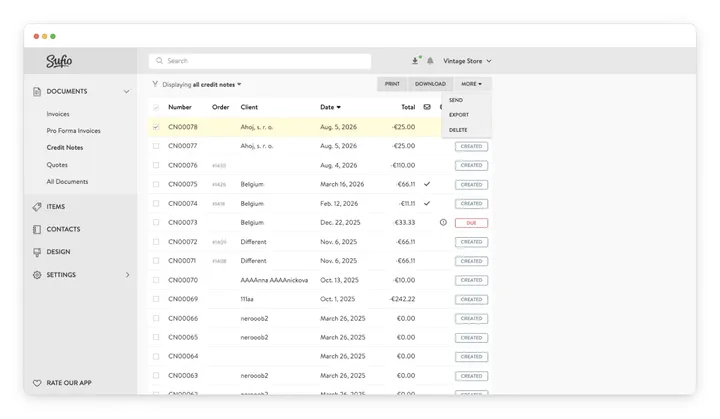
To send credit notes in bulk:
- In your Sufio account, go to the Documents → Credit Notes page.
- Select the checkboxes next to the credit notes you want to send.
- Click More → Send.
- On the confirmation page, review the number of credit notes you are about to send.
- Click Send.
If email copies are enabled, you receive a copy of every email sent.
Plan-specific feature
Credit notes are available on the Professional plan and higher.
Yes. In your Sufio account, go to the Settings → Emails page and turn off Automatically send credit notes when orders are refunded. You can still send credit notes manually.
Not at the moment. You can add a link to the invoice in Shopify's order confirmation email, but there's no equivalent link for credit notes. To share a credit note with your customer, send it from your Sufio account.
Sufio can only send credit notes that have been created. If no credit note appears after a refund, check that Sufio is set up to create credit notes automatically for refunds.