A quote is a document used to outline the proposed price, scope, and conditions of a potential sale before it is confirmed.
Sufio is an invoicing app for Shopify stores that lets you create and manage invoices, quotes, and other documents.
Once you've created a quote, you can send it to your customer directly from your Sufio account.
To send one quote to your customer:
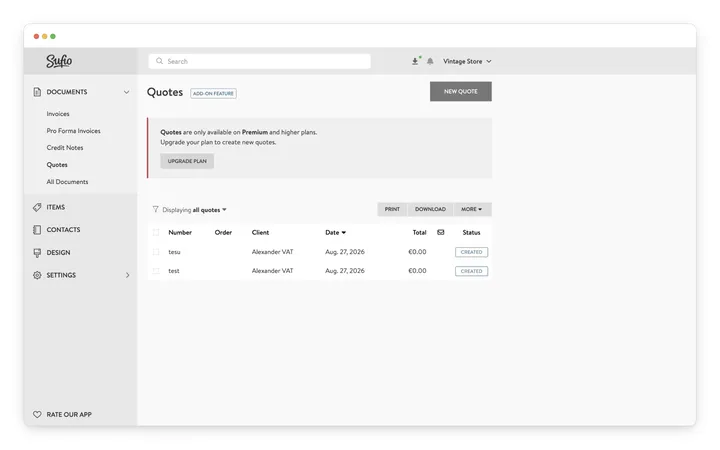
- In your Sufio account, go to Documents → Quotes.
- Check the checkbox next to the quote you want to send.
- Click More → Send.
- On the Send Quotes page, confirm that you are about to send one quote.
- Click Send.
You will receive a copy of the email. Once you send a quote, you cannot undo this action.
To send multiple quotes:
- In your Sufio account, go to Documents → Quotes.
- Check the checkboxes next to the quotes you want to send.
- Click More → Send.
- On the Send Quotes page, review the number of quotes you are about to send.
- Click Send.
You will receive a copy of every email. Once you send the quotes, you cannot undo this action.
Plan-specific feature
Quotes are available on the Premium plan and higher.
No. Quotes are created and sent manually from your Sufio account. They aren't linked to Shopify draft orders, so creating a draft order doesn't create or send a quote.
Your customer receives the quote by email as a PDF. Sufio doesn't support accepting or declining quotes online, so your customer replies to you directly, for example, by email.
On the Documents → Quotes page, each quote shows its status. A new quote has the status Created, and it changes to Sent once you send it. Other statuses, such as accepted or declined, aren't available.
Open the quote and click Create Invoice. Sufio creates an invoice from the quote, which you can then send to your customer. Creating the invoice doesn't create an order in your Shopify store.