Downloading PDF documents can be useful when you need to save copies, archive them, or share them with your accountant.
Sufio, an invoicing app for Shopify stores, lets you download PDF versions of your documents, whether they were created manually in Sufio or automatically from orders in your Shopify store.
You can download documents one by one or in bulk.
To download a single document:
- In your Sufio account, go to the Documents page and open the document you want to download.
- Click More → Download.
- The PDF file will be downloaded to your device.
Before downloading multiple documents, use smart search or filters to narrow down the list.
For example, filter documents by issue date, such as a specific month or year, or by status, such as paid or sent.
To download multiple documents:
- In your Sufio account, go to the Documents page and select the documents you want to download.
- Click on the Download button.
- A new request will be created and queued. You can track its progress on the Downloads page by clicking the Download icon in the upper bar.
- Once the request is complete, Sufio creates a ZIP archive with each selected document saved as a separate PDF file.
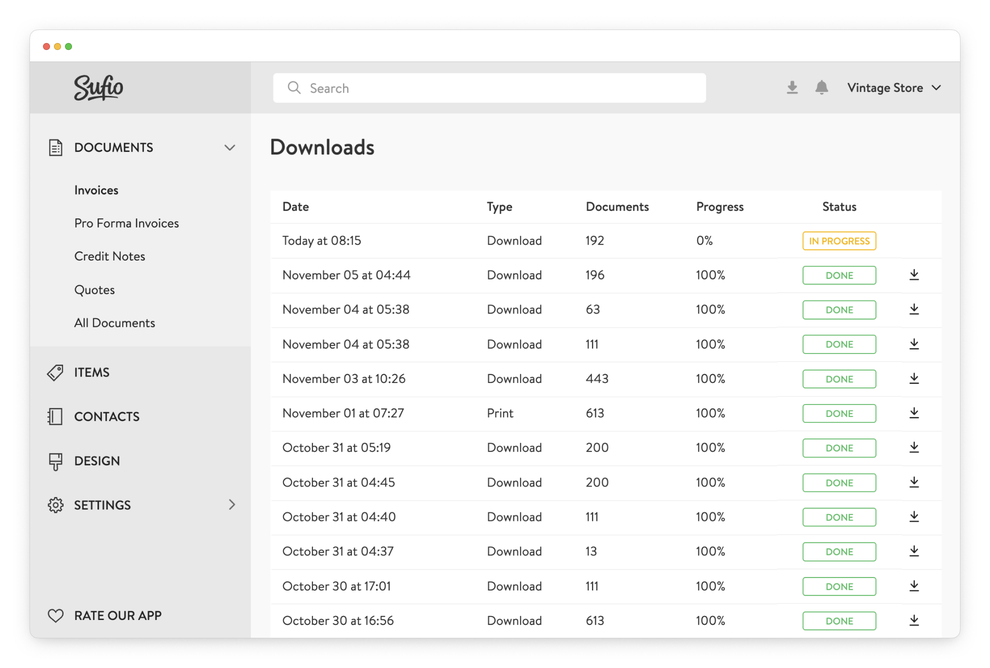
Exported files remain available on the Downloads page for 30 days. From there, you can view your previous download requests and download the files again if needed.
Please note that if you download ten or more documents, Sufio will create a ZIP archive with your PDF documents and send it to your email address.