Sufio lets you easily export your document data in a single CSV (comma-separated values) file.
Exporting document data can be useful when you need to review invoice details in a spreadsheet, share them with your accountant, or process them in another tool.
Sufio, an invoicing app for Shopify stores, lets you export your invoices, credit notes, etc., in a CSV file.
CSV files are compatible with spreadsheet programs such as Microsoft Excel and Google Sheets, making it easier to move data between tools.
To export a single document’s data:
- In your Sufio account, go to the Documents page.
- Check the checkbox next to the document you want to export.
- Click on the More → Export button.
- A CSV file with the document data will be downloaded.
To export the data of multiple documents in bulk:
- In your Sufio account, go to the Documents page.
- Check the checkboxes next to all the documents you want to export.
- Click on the More → Export button.
- A new request will be created and queued. You can track its progress on the Downloads page by clicking the Download icon in the upper bar.
- Once the request is complete, Sufio downloads the CSV file automatically. If you're exporting ten or more documents, the CSV file will also be sent to your email address.
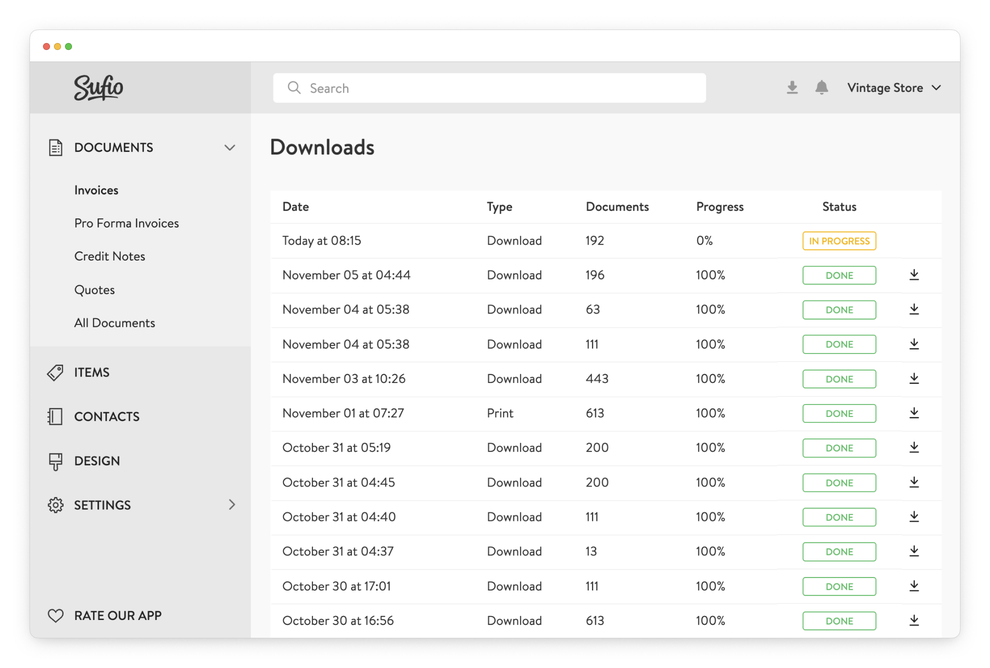
Exported files remain available on the Downloads page for 30 days. From there, you can view your previous export requests and download the files again if needed.