How to Avoid Overspending on Software When Starting Your Shopify Store

Every new store owner hits the same wall eventually: a growing list of tools you're constantly told you need, each with its own monthly fee. Design software, a video editor, an office suite, an AI assistant, and endless “nice-to-have” Shopify apps.
It all adds up fast and can leave you paying hundreds of dollars in subscription fees before you even make your first sale. The good news is that most of what you need early on has a free or near-free equivalent that does the job just as well.
This article walks through the areas where it makes sense to cut back and the few places where paying is still worth it.
Design and photo editing without Photoshop
Affinity spent years as the budget-friendly, buy-once alternative to Adobe. After Canva acquired the company in March 2024, its three separate apps for photo, vector, and layout work were merged into a single app and made completely free in late 2025.

For a store owner, that covers a lot of ground in one place. You can retouch and color-correct RAW product photos, work with unlimited layers, and build vector artwork for a logo, label, or packaging without switching programs. The only paid add-on unlocks Canva's AI tools inside Affinity, which you can safely ignore if you choose.
A few other alternatives are worth knowing about depending on your setup:
- GIMP is a free, open-source photo editor that has been the standard Photoshop alternative for years, and it’s strong for retouching and compositing.
- Inkscape is free, open-source, and built specifically for vector work like logos, icons, and packaging.
- Acorn is a lightweight, one-time-purchase image editor for macOS, worth a look if you want something simpler than Affinity.
Video editing without a Premiere subscription

If product videos or short-form social clips are part of your plan, the free version of DaVinci Resolve is a full professional editor, not a stripped-down trial. It includes a complete timeline, color grading, visual effects, and audio tools, and plenty of working editors never pay for more.
The paid Studio tier mainly adds higher-resolution exports and multi-GPU rendering. Those matter for broadcast-level content, but not product demos filmed on a phone camera.
If you prefer open-source software, Kdenlive is a capable free editor that runs on Windows, macOS, and Linux. It’s lighter than Resolve and a good fit for straightforward cuts, titles, and simple transitions on a modest (or older) laptop.
Writing and content in whatever style suits you
You don't need a Microsoft 365 subscription to write product descriptions or manage a spreadsheet of SKUs.

LibreOffice is a free, open-source office suite that opens and saves Word, Excel, and PowerPoint files with little friction, and it's far more actively developed than the older OpenOffice, which is important for security patches and long-term reliability.
Beyond the office suite, the right writing tool really comes down to how you like to work.
If you want a clean, distraction-free space for web copy or blog posts, a Markdown editor like Typora or iA Writer strips the screen back to just your words, and both are one-time purchases rather than subscriptions.
If you would rather keep notes, drafts, and simple databases in one place, Notion works as a combined writing and organization hub, with a free plan that suits a solo store owner.
Whichever you choose, LanguageTool is worth adding on top: it's a free grammar and spelling checker covering more than 30 languages, and it plugs straight into your browser, LibreOffice, and Google Docs to catch typos in your writing before customers do.
Reading and signing PDFs without Acrobat
PDF contracts are part of doing business, and you rarely need a full Acrobat subscription for that. There are strong community-driven alternatives.
Okular is a fast, cross-platform document viewer for PDFs, EPub books, and more, with solid annotation and commenting built in. For adding a handwritten signature or marking up a contract, Xournal++ is a reliable free annotator. For the more technically minded, Stirling is an open-source platform with tools for merging, splitting, and converting PDFs.
If you prefer a simpler web-based approach, Smallpdf lets you view, edit, and e-sign online for free or a small fee, and Adobe's own Reader remains free for basic reading and signing. Save a paid Acrobat plan for when you're editing PDFs constantly, not for the occasional form.
An AI assistant that won't blow your budget
The paid tiers all look similar right now: ChatGPT Plus and Claude Pro both sit around $20 a month. The bigger difference between AI companies is in the limits on their free tiers, so new store owners should focus on finding the best price-to-performance ratio.
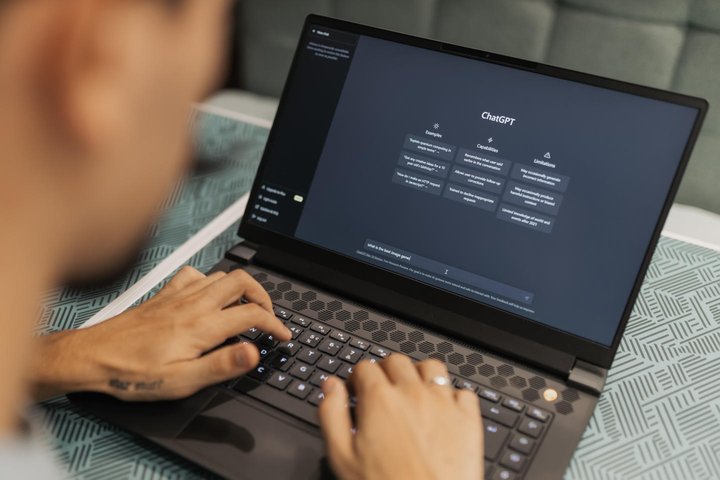
ChatGPT’s free plan is useful but tends to cap out quickly, while Mistral, a European alternative, has a more generous free tier and can fit into workflows you already use, including Notion, which we mentioned earlier.
If you outgrow the free plans, ChatGPT Go is currently the cheapest paid step-up at $8 a month, a reasonable move before committing to the full $20 plan. Claude is especially well regarded for coding and technical work, but that is rarely a day-one need for a new business.
Choosing Shopify apps: what earns its place and what can wait
The Shopify App Store makes it easy to install various apps in your first month, several of which quietly drain your budget for little in return. It helps to sort them into two groups.
Essential apps solve a problem tied to revenue, compliance, or customer trust that a free workaround simply cannot fix.
A dedicated invoicing app is the clearest example. In many countries, you're legally required to issue compliant invoices and maintain a paper trail for every order, edited order, and refund or return as soon as you make your first sale. Cheaper order printer apps often use workflows that risk non-compliance by regenerating documents, while Shopify's built-in tax tool handles calculations but falls short on key compliance details.
That's why Sufio addresses these gaps by automatically creating compliant Shopify invoices and related documents, then storing them securely for 10 years to meet retention requirements.
Nice-to-have apps usually promise a small conversion bump: think countdown timers, extra pop-ups, review widgets… They're not bad, but they rarely make or break a new store, and many overlap with features that the best Shopify themes already include. It's worth holding off until your revenue justifies both the monthly fee and the added load times.
A simple test helps here. If removing an app would create a real legal, financial, or trust problem, keep it. If it would only cost you a minor visual flourish, it can wait.
Spend where it actually matters
Between Affinity, DaVinci Resolve, LibreOffice, Okular, and Mistral's free tier, you can cover design, video, writing, paperwork, and research for very little. That leaves your budget free for the handful of apps that genuinely earn it.
If compliant, professional invoicing is part of your plan, consider trying Sufio free for 14 days and make sure that part of your setup is handled properly from day one.