A quote (also known as a quotation) is a document you send to a potential customer to explain the proposed prices for your goods and services.
You typically create a quote when a customer requests pricing or when you want to clearly define the cost, scope, and conditions of a potential sale before it is confirmed.
With Sufio, you can create and manage quotes alongside your invoices in one place, with a consistent format across all documents.
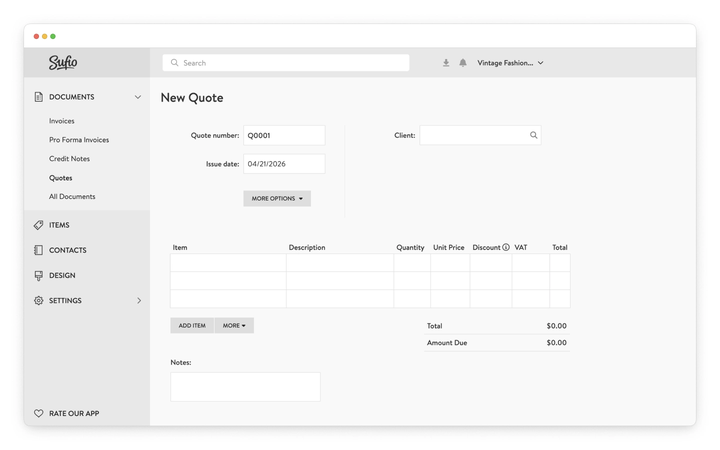
To create a new quote:
- In your Sufio account, select Quotes from the left sidebar.
- Click the New Quote button.
- Fill in the required information if needed. Note that both customer and product information is automatically synced from your Shopify store.
- Click the Save button.
Tip
You can create a regular invoice out of every quote. All you have to do is open a quote and click on the Create Invoice button.
Estimates are typically used when the final cost may vary, whereas quotes are used when the price and scope are clearly defined.
A quote is often required for services but is also commonly used by businesses that sell goods.
By sending the quote to the potential customer, the supplier is committing to the proposed price.
In Sufio, you can only create quotes manually; however, please note that quotes are only available in our Premium or higher plans.
Not at the moment. In Sufio, quotes can only be created manually in your Sufio account. If automated quote generation is something you need, you can contact our support team to share your use case; your feedback helps shape what we build next.
Sufio does not currently support online quote approval. Quotes are sent as PDFs, and any acceptance or rejection needs to happen outside Sufio, for example, by email.
Once the customer confirms, you can manually convert the quote into an invoice.