Redesigned Document Settings page for more control over how your invoices and credit notes are created
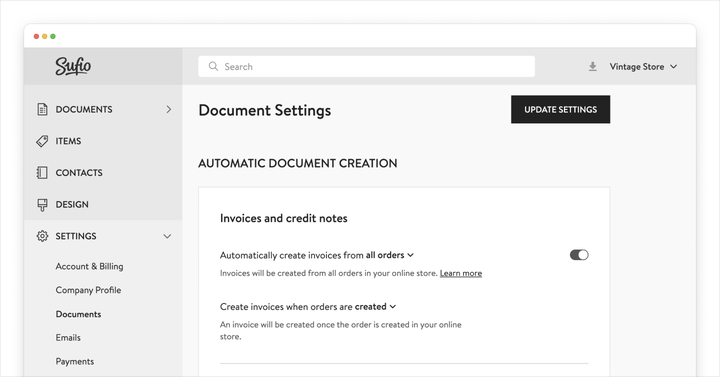
Sufio is excited to introduce a fully redesigned Document Settings page that gives users greater control over how invoices and other documents are created, numbered, and managed in their Sufio accounts.
This update brings advanced options and flexibility to streamline your invoicing workflow, ensuring it fits your unique business requirements.
Automatic creation of invoices
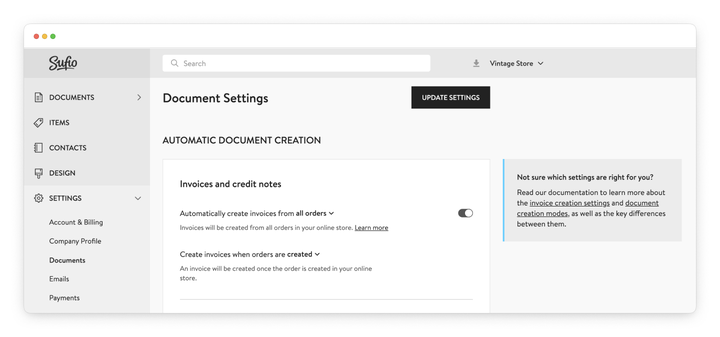
The redesigned page includes a new setting that lets you choose whether to create invoices for all orders or only for specific orders, such as B2B or wholesale.
We hope that this will help you configure your account more effectively by skipping over unnecessary invoices, for example, in cases where your B2C customers don't require them.
You can also decide when an invoice should be created—for example, when the order is placed, paid, or fulfilled. This ensures the way you issue invoices also complies with your local accounting legislation.
If preferred, you can also disable automatic invoice creation entirely and generate invoices manually for selected orders directly from your Shopify admin.
Document creation modes and credit notes
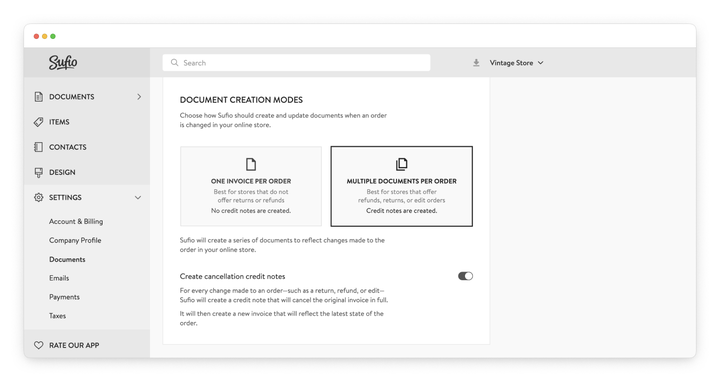
One of the key updates is the introduction of document creation modes, which determine how Sufio handles the creation and updates of documents when an order changes in your store.
The first mode always creates one invoice per order. In this setup, credit notes are not generated automatically, making it sufficient for stores that don’t offer returns or refunds and rarely edit orders.
The second mode supports multiple documents per order. Here, Sufio generates a series of documents to reflect order changes, such as credit notes for refunds and returns. Additional invoices may be created if new items are added to an edited order.
With multiple documents per order, invoices and credit notes stay unchanged after they are issued, helping you meet legal requirements worldwide.
Easier document numbering management
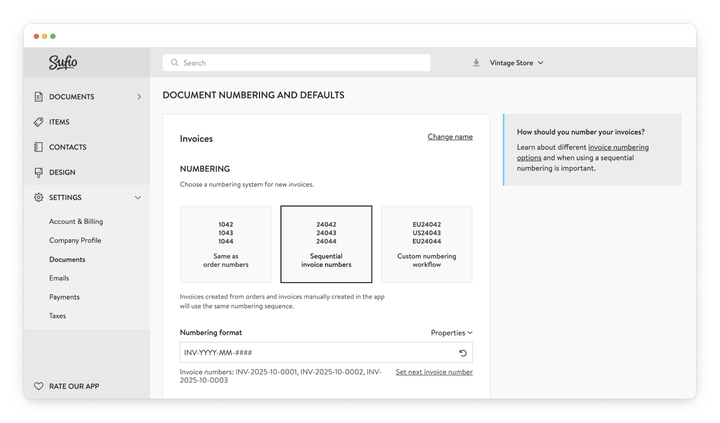
The new settings page offers enhanced flexibility for controlling document numbering.
Similarly to the older version of this page, you can still number your invoices based on the corresponding order numbers or use a separate numbering sequence. The latter is a legal requirement in many countries.
If your invoices use sequential numbering, you can now customize the format with prefixes, suffixes, or dynamic values based on the issue date. For example, your invoices can use numbering sequences like: INV-2025-09-0001, INV-2025-09-0002.
You can also set up custom numbering workflows to create separate sequences for different customer groups, sales channels, or based on order properties.
This can be useful if you issue many documents every day and want a better way to organize them.
More document options
The new Document Settings page lets you configure a number of settings that previously required assistance from our customer support team.
For example, you can now customize the file names of PDF documents when they are downloaded, exported, or attached to customer emails.
Document names can also be adjusted—for instance, you could rename Delivery note to Packing slip.
Advanced options include disabling manual editing of documents created from orders or turning off online documents that allow customers to view their documents online.
You can also enable automatic creation of Shopify order metafields with invoice details, which is helpful if other apps in your workflow need access to data such as the invoice number or a link to the invoice in PDF format.
We will be adding a few more options to the Document Settings page in the near future to provide even better control over your documents in Sufio.
Professional invoices for Shopify stores
Let Sufio automatically create and send beautiful invoices for every order in your store.
Install Sufio - Automatic Invoices from the Shopify App Store